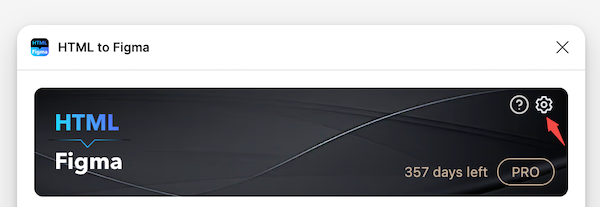

Appearance
Update the fonts used after import
INFO
Many websites use web fonts that are not available on your computer. These fonts fall into two categories:
- regular text fonts
- icon fonts created by the web designers themselves.
When encountering fonts that are not available on your local computer, the HTML to Figma plugin will substitute them with Figma's default fonts. In most cases, the result is quite satisfactory. However, you can
- mapping the missing fonts to specific ones before import. Learn more
- or update/replace the fonts used after import. Learn more
Update fonts
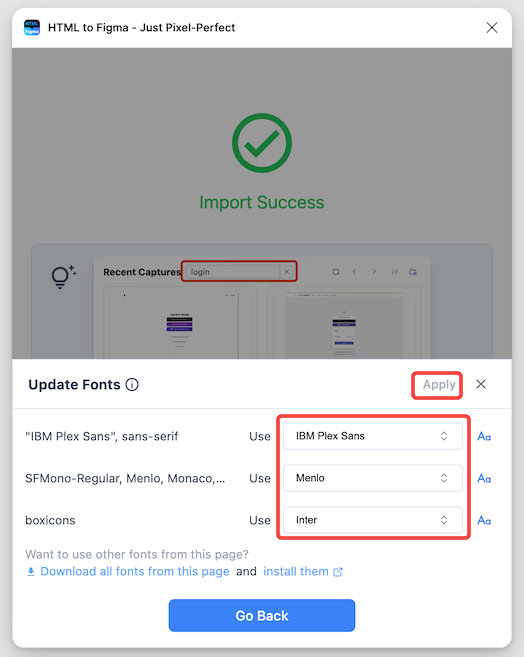
By default, after the import is completed, the HTML to Figma plugin displays all the fonts declared in the webpage, along with the actual fonts used during import, as a list.
In other words, a list includes both fonts that can be matched with those on the local computer and the "Missing fonts" that are not available locally. Then, as shown in the image below, by selecting other fonts, you can directly choose to update the fonts used in the design draft.
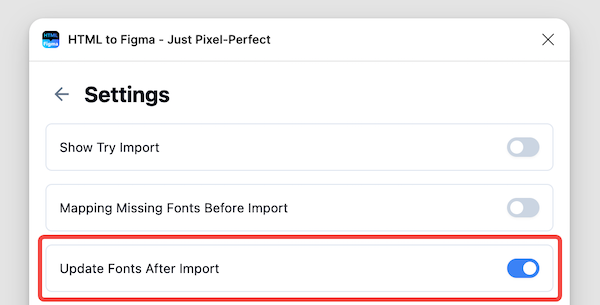
Turn on/off update fonts prompt